RasterMoves is the image-upscaling part of my DanceFlow work. It runs locally and uses model manifests from OpenModelDB, with support for PyTorch, ONNX and optional generative refinement.
The immediate job is to make an image larger. The more useful long-term job is to notice what made that run awkward, uncertain or repetitive, then make the tool a little better before the next image arrives. I have now added a reusable skill that makes that feedback loop explicit.
A run should leave the tool better
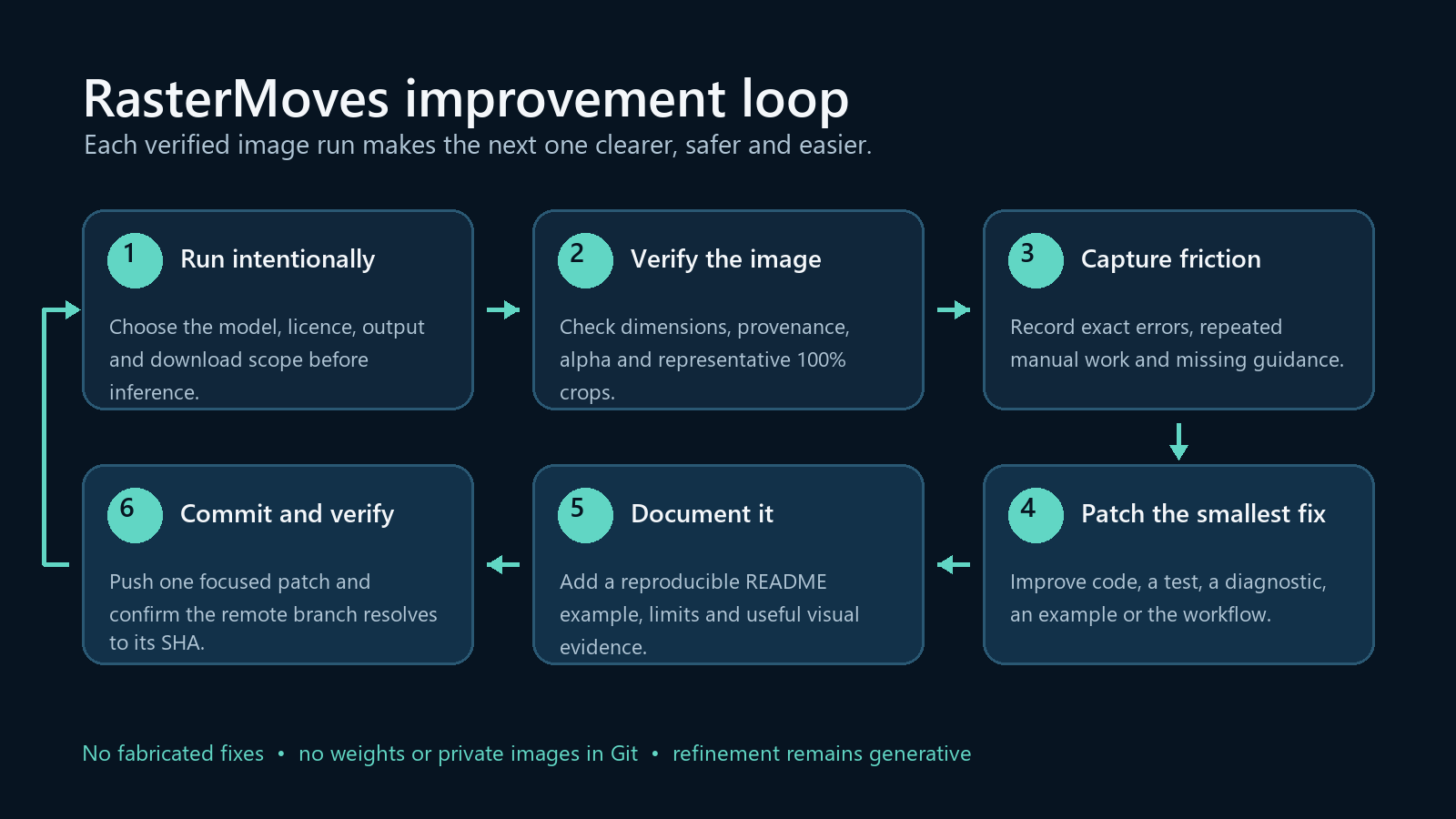
The workflow has six stages: run RasterMoves deliberately, verify the output and its provenance, capture any friction, make the smallest reusable fix, document it with a real example, then commit and verify the change on GitHub.
That final step matters. A local edit is not the same thing as a published improvement, so the workflow checks the remote commit as well as the code and documentation. If a screenshot genuinely explains the change, it belongs in the README too; if it adds no useful evidence, it does not.
The new skill lives with the repository rather than in one particular machine setup. It includes an evaluation checklist, example prompts and a Potential problems section for fixes that should not have to be rediscovered.
A complete local setup
I also built a clean Python 3.13 environment containing every compatible optional RasterMoves feature group:
- CUDA-enabled PyTorch and torchvision
- ONNX Runtime GPU support
- generative refinement and tracing support
- Google Drive downloads
- extra Spandrel architectures
- the full development and test toolchain
The CPU-only ONNX package is intentionally absent because the project documentation warns against installing it alongside the GPU build.
What the checks prove
RasterMoves’ diagnostic command sees the NVIDIA RTX 4060 Ti through PyTorch CUDA, and ONNX Runtime reports TensorRT, CUDA and CPU providers. The environment’s 67 installed packages pass their compatibility check.
The full automated suite completed with 347 passing tests and 5 skips. The skipped cases are opt-in tests that require downloading pretrained model weights, so this result verifies the software environment rather than claiming a visual-quality result. No pretrained weights were downloaded for this setup, and no image-quality comparison was made.
That distinction is useful with image upscaling. A neural model can reconstruct plausible texture, and generative refinement can synthesise detail; neither should be described as recovering forensic truth from the source image.
Ready for the next image
The repository now documents both the complete installation and the improvement loop. The aim is simple: each real image gives RasterMoves another chance to become clearer, safer and easier to use.
The source, installation instructions and workflow are available in the RasterMoves repository.
Leave a Reply