
Music, motion and media tools
Independent DanceFlow toolPixelCue
Make a visual collection searchable.
PixelCue provides local AI image tagging and search for visual-media collections. Its selectable vision-language models describe images, sampled video frames and supported archive media, while a desktop browser and local service make the results inspectable.
What you can do with it
Local AI image tagging and search
Index an authorised artwork folder, search an existing collection by tags, or request keywords for one file through the REST service. Choose a small SmolVLM profile for a lighter first pass or the heavier JoyCaption route when its requirements fit. Model tags remain suggestions that may need correction.
A model you choose
Small SmolVLM and heavier JoyCaption profiles make the resource trade-off explicit.
A collection you can inspect
The desktop browser, tag cloud and persistent analysis connect results to files.
One-file service requests
The loopback API returns a JSON keyword list, with request-scoped progress.
Output you can inspect
Try PixelCue.

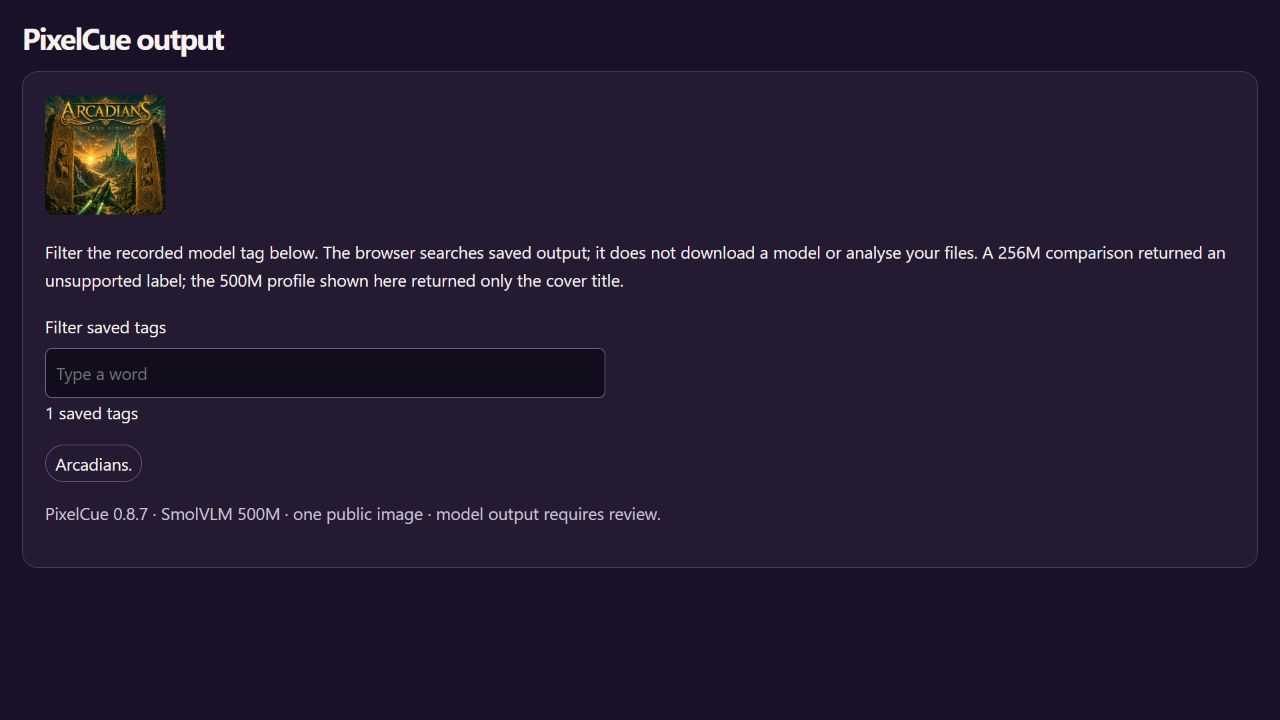
Filter the recorded model tag below. The browser searches saved output; it does not download a model or analyse your files. A 256M comparison returned an unsupported label; the 500M profile shown here returned only the cover title.
1 saved tags
PixelCue 0.8.7 · SmolVLM 500M · one public image · model output requires review.
Choose your route
Install and start.
For people
Python 3.13. Small profiles can run on CPU; JoyCaption's NF4 route needs compatible NVIDIA CUDA hardware. Linux needs libmagic. Install the optional faces extra only when face processing is intended. The chosen model downloads on first use.
uv python install 3.13
uv venv --python 3.13 .venv
uv pip install --python .venv pixelcue==0.9.1
# Windows:
.venv\Scripts\pixelcue.exe --model smolvlm-256m ./artwork
# Linux/macOS executable: .venv/bin/pixelcue
Choose a folder you are authorised to analyse and select the tagger before scanning. Review labels and processing errors, then save the export. For service use, start pixelcue-server on its default loopback address and inspect /health before sending a one-file request.
Checked releases and checksums · Full installation and API guide
For agents
Install with Python 3.13, start the local server and call GET /health for model discovery. POST /v1/keywords accepts a path on that server's machine, a selected model and an optional request ID; it is not a browser upload. Keep the loopback binding, use authorised files and review inference results. Enable face analysis only when it is deliberately in scope.
# Activate the dedicated environment, then:
pixelcue-server
# GET http://127.0.0.1:8765/health
# POST /v1/keywords JSON:
{"path":"/absolute/path/to/artwork.jpg","model":"smolvlm-256m","request_id":"artwork-example"}
Portable PixelCue agent skill · Codex and Claude installation
Install the selected component as well as any client skill. Repository marketplace installation is separate from a vendor’s curated directory.
Python environment setup
For Python routes, create a dedicated environment with a supported interpreter. Activate it before running python -m pip and the tool’s commands.
python -m venv .venv
# Windows PowerShell:
.venv\Scripts\Activate.ps1
# Linux/macOS:
source .venv/bin/activate
Versioned commands identify the checked packages used for this page on 8 October 2026. Check the release notes for newer versions and retain the checksum manifest. Third-party models and demo materials have their own terms.
A couple of useful questions.
Are images sent to a hosted AI service?
The documented tagging routes run locally. Downloading model weights still contacts their host; any separately configured hosted route needs its own review.
Can PixelCue analyse every frame in a video?
Its normal workflow samples a small selection of frames. A sampled result is not a complete description of everything in the video.
Where it can fit.
Choose the components your work needs. These links describe related jobs; membership does not make every pair an automatic integration.
Current capabilities and working evidence.
Verified release 0.9.1. Local image and video discovery, measured visual analysis, tagging, temporal evidence and a loopback service.
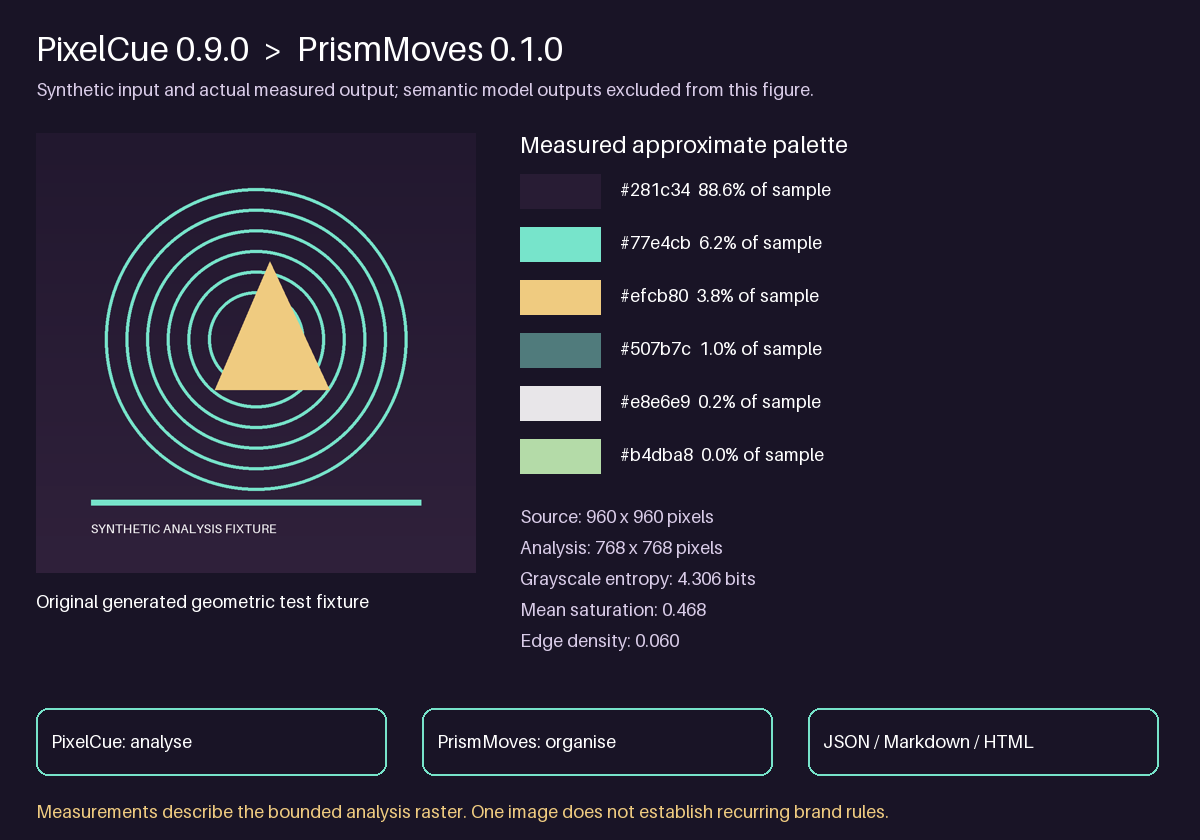
Feature routes covered by the current guide
- image/video/archive discovery
- measured palette, texture and composition
- optional model tagging with explicit state
- diverse temporal frames, history and resume
Open a working example Read every indexed capability
Check the latest stable release and the actual imported or installed identity before each new workflow. Use relevant ecosystem contracts and improve reusable gaps in their owning project.
Current capability and package audit · 23 October 2026
Current features and supported handoffs
Review the source-pinned capability inventory, package identity and working examples before choosing a route. Preserve the canonical tool owner, existing source authority and task-specific host/model acceptance.
Official stable source inspected: v0.9.1. Read the complete feature, package and example reference.
Unity recording and Potbot host handoffs keep source previews, installed runtime and qualified execution separate. Existing embedded examples retain their declared versions.