
Music, motion and media tools
Independent DanceFlow toolStemLab
Hear the track. Inspect the evidence.
StemLab is local music analysis software for understanding what happens in a track. It brings stem separation, rhythm, structure, harmony and lyric timing into inspectable reports, rather than leaving you with a single unexplained answer.
What you can do with it
Local music analysis software
Use it to compare separated stems, inspect beat and downbeat evidence, find tempo changes, align approved lyrics, or choose complete-bar sections to audition for a Short. Musicians can inspect the results in its browser workspace; developers can use the Python library, CLI or local service.
Music, in layers
Keep the master, successful stems, spectrograms and analysis records together.
Timing you can inspect
Compare beat grids, tempo regimes, section boundaries and word-level alignment.
Loop candidates, with bounds
Retain source sample frames and audition a repeat before accepting its musical seam.
Output you can inspect
Try StemLab.
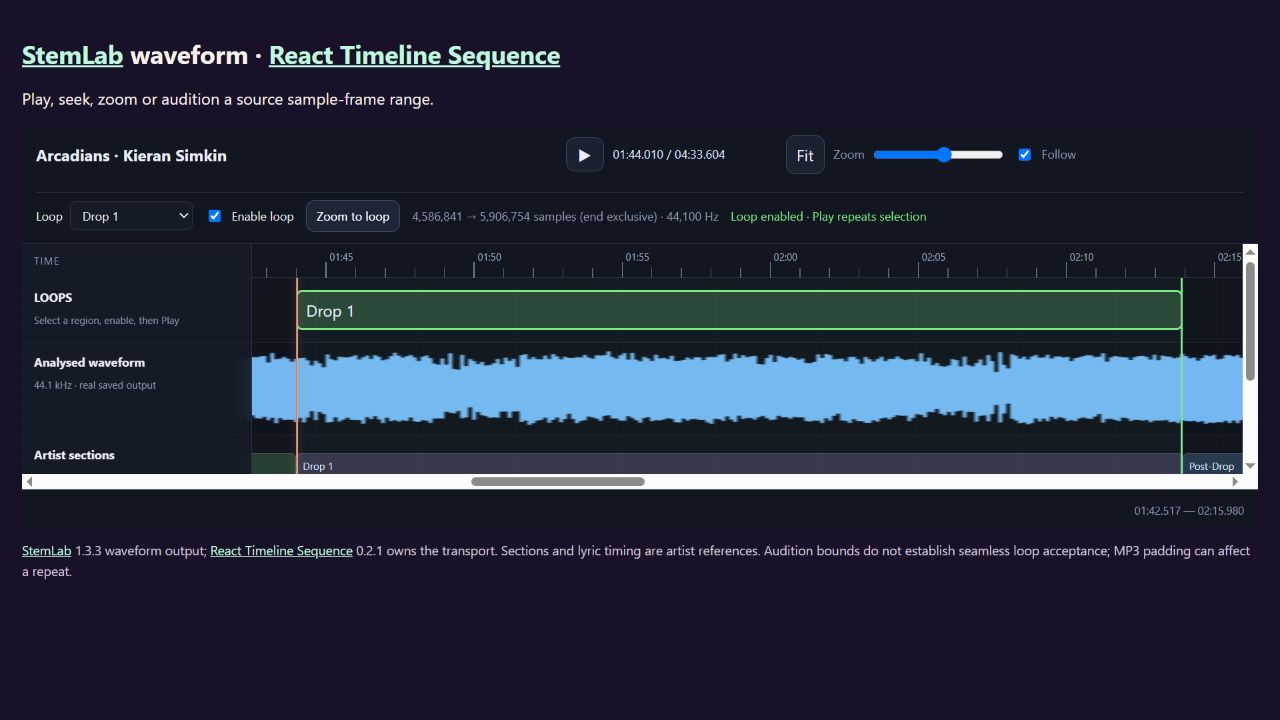
Play, seek and zoom in the embedded timeline. Its waveform is real StemLab output; React Timeline Sequence owns the transport. Sections and lyric timing are supplied artist references, not inferred timing evidence.
Open the live StemLab demonstration
Choose your route
Install and start.
For people
Use a dedicated Python environment; Python 3.13 matches the current tested example environment. Add the optional analysis/model backends you need from the installation guide. Model weights download separately and can have different licences and hardware needs.
python -m pip install "danceflow-stemlab[codex]==1.11.0"
stemlab doctor
stemlab --help
Start with doctor and the model inventory. Analyse one authorised track, retain its reports, then open the timeline to inspect and audition the results. Full separation and neural analysis take more resources than the waveform demonstration below.
Checked releases and checksums · Full installation and API guide
For agents
Install the codex extra, create a folder containing only authorised inputs, then run stemlab-codex configure –workspace /absolute/path/to/music-workspace and stemlab-codex doctor. Register stemlab-codex serve as a local stdio MCP command, or use the repository's published StemLab plugin instructions. Discover capabilities and available models before starting a job; inspect completion and errors, not just submission.
stemlab-codex configure --workspace /absolute/path/to/music-workspace
stemlab-codex doctor
stemlab-codex serve
Portable StemLab agent skill · Codex and Claude installation
Install the selected component as well as any client skill. Repository marketplace installation is separate from a vendor’s curated directory.
Python environment setup
For Python routes, create a dedicated environment with a supported interpreter. Activate it before running python -m pip and the tool’s commands.
python -m venv .venv
# Windows PowerShell:
.venv\Scripts\Activate.ps1
# Linux/macOS:
source .venv/bin/activate
Versioned commands identify the checked packages used for this page on 8 October 2026. Check the release notes for newer versions and retain the checksum manifest. Third-party models and demo materials have their own terms.
A couple of useful questions.
Can StemLab find loopable song sections?
It produces bounded candidates and supporting timing evidence. Listen to the repeat and check lyric, beat and section context before calling it a seamless loop.
Does StemLab need WordPress?
No. Its local Python, browser and service routes are independently useful. Reports can be passed to other tools when an explicit integration fits.
Where it can fit.
Choose the components your work needs. These links describe related jobs; membership does not make every pair an automatic integration.
Current capabilities and working evidence.
Verified release 1.8.0. Audio analysis, stems, beat and tempo maps, harmony, lyrics, Fourier features, structure and loop evidence.
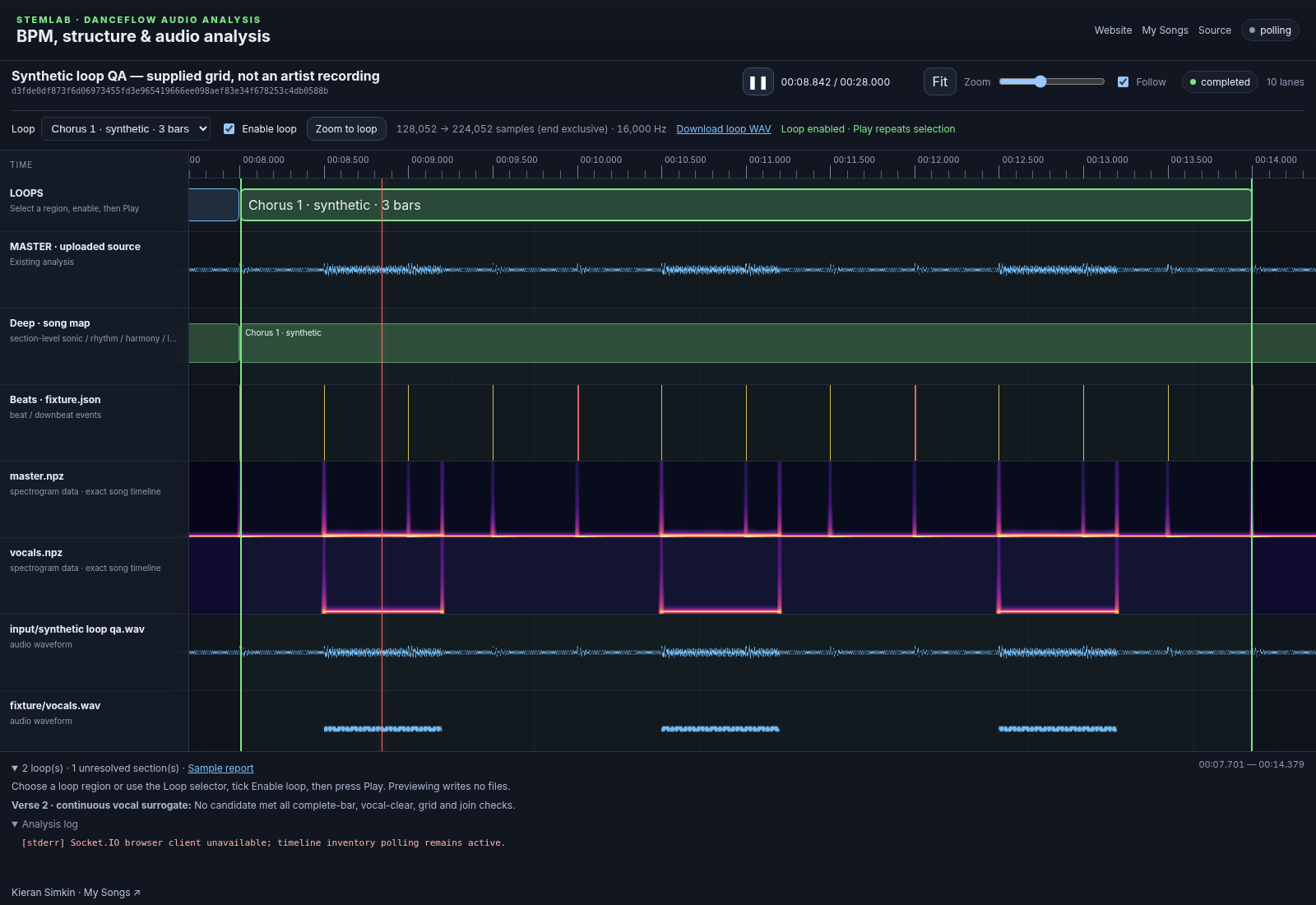
Feature routes covered by the current guide
- analysis workbench and API
- stem separation and saved evidence
- beat, tempo, Fourier and song maps
- canonical lyric timing and bounded loop candidates
Open a working example Read every indexed capability
Check the latest stable release and the actual imported or installed identity before each new workflow. Use relevant ecosystem contracts and improve reusable gaps in their owning project.
Current capability and package audit · 23 October 2026
Current features and supported handoffs
The current release includes StemEdit fixed/variable beat, lyric, word and cue editing; source-bound timelines; StemMoves examples; and selected-channel lyric audition. StemEdit and StemMoves are StemLab interfaces, rather than separate ecosystem members.
Official stable source inspected: v1.11.0. Read the complete feature, package and example reference.
Unity recording and Potbot host handoffs keep source previews, installed runtime and qualified execution separate. Existing embedded examples retain their declared versions.